
Jump to a section in this guide
When a business adds a second building or a new network closet, the link between locations has to carry the combined traffic for the systems behind it. That link is the network backbone. A good fiber backbone proposal explains what the link needs to carry, how it will get from one closet to another, and how the installer will prove it works.
Start with the connection you need
List the two endpoints, the estimated route, the target link speed, and which services depend on it. Then compare cabling and optics as a complete link.
When a fiber backbone makes sense
Fiber is worth considering for links between buildings, connections to distant network closets, and uplinks that need more capacity than the current cabling can support. For example, a warehouse may add a network closet closer to scanners, cameras, and access points. A fiber uplink can connect that closet to the main equipment room, while local copper runs connect and power compatible endpoints.
List the services that would be affected if the uplink went down. A link used by staff computers, phones, and shipping stations has different outage consequences than a link serving a spare training room. That distinction helps determine how much redundancy, maintenance access, and testing the project needs.
Measure the route between closets
A straight line on a site map understates the distance. Walk the actual route, including risers, turns, conduit transitions, handholes, and the path inside each building. Identify who owns the conduit and whether it has space and usable access. On a campus or multi-building property, include pathway permissions and any work required to bring the cable into each building.
Check the closets too. Confirm rack space, equipment power, and access for future maintenance. For outdoor or underground runs, ask the installer to specify the cable construction and the permitted transition to the indoor pathway. If resilience is part of the project, confirm where two routes actually diverge. Two links sharing a conduit can be interrupted by the same damage.
Choose single-mode or multimode with the optics
Single-mode and multimode fiber work with different sets of optics. The available reach depends on the specific Ethernet application, fiber type, transceivers, and optical loss budget. Single-mode is often a good candidate for a new interbuilding backbone. Existing multimode can still be useful when documented fiber and compatible optics meet the required reach and speed. Compare against the actual switch and transceiver specifications before deciding.
| Design question | What to ask for |
|---|---|
| What speed is required? | The expected uplink speed today and any planned upgrade the design should accommodate. |
| Can we reuse what is there? | Fiber type, route, strand assignment, connector condition, and current test results. |
| Do the optics match? | Compatible switch ports, specified optics at both ends, and a loss budget for the complete link. |
| What happens if the route fails? | The services affected, restoration options, and an independent path if justified. |
Corning’s campus backbone design guide explains why fiber selection and strand count depend on the applications and link distances.
Count working strands and useful spares
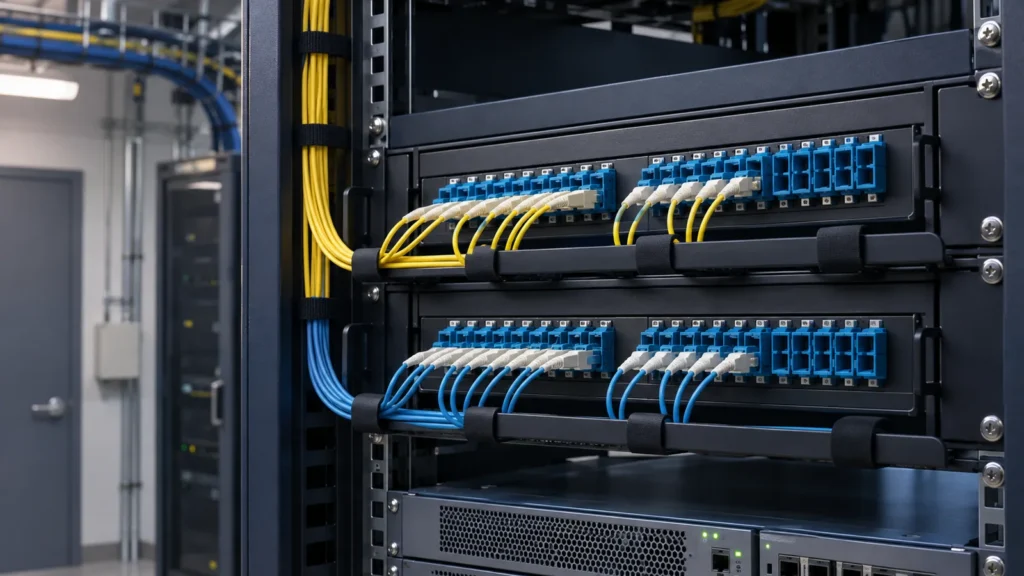
Ask for a strand assignment showing what each fiber will carry and which strands will be available later. Count strands from the optics and the links the project actually needs. Many duplex links use two strands. Some approved optic pairs use one. Specify the expected arrangement and connector layout so the next person can trace both ends from the records.
Spare strands can simplify a future upgrade or repair, especially where pulling another cable would require new access or excavation. They can also have costs for termination and testing. Ask which spares will be terminated and tested at handover and how unused strands will be identified.
Plan the cutover around business hours
Name the network and facilities contacts, agree on the outage window, and decide who can approve the switch to the new link. If the existing link remains available during installation, use that time to complete termination and acceptance tests before moving live services. Identify the point at which the team will pause or roll back if a critical application fails.
A useful cutover test goes beyond checking whether the switch reports a link. It confirms that people can use the services that depend on it, such as shipping workstations, classroom systems, or business phones. Give each test an owner and capture anything that needs follow-up.
Ask for test results you can use later
Agree on acceptance tests before installation. Ask how the installer will verify insertion loss, length, and polarity against the project requirements. If the contract calls for optical time domain reflectometer (OTDR) testing, ask for traces labeled by link and strand. An OTDR helps characterize events along the route, and an optical loss test set measures overall insertion loss. Fluke Networks explains how the tests complement each other.
Collect labeled test reports, the panel and strand map, the installed route, the approved optics list, and notes on any outstanding issues. Our network handover checklist covers the records to keep after sign-off.
Questions about business fiber installations
Can one backbone serve several systems?
Yes, a network uplink can carry multiple services when the switches, capacity, and network design support them. Identify any systems with separate connectivity or availability requirements early.
Does fiber power access points or cameras?
Standard optical fiber carries data. Plan local power at the receiving equipment or a supported copper PoE connection for the devices that need it.
What should I share before requesting a quote?
Bring the site addresses, closet locations, known pathways, existing cable or test records, target link speed, and the dates or hours when work can occur.
Plan a fiber backbone in Central Pennsylvania
R.W. Communications helps businesses, schools, and organizations plan structured cabling installations from our Harrisburg office. If you are connecting buildings or adding a network closet, tell us about your project so we can discuss the route, required capacity, and handover.
Let’s plan your next technology project.
Tell us what you need, where you need it, and what success looks like.