

Jump to a section in this guide
The most useful meeting room is the one people can start using without a colleague rescuing the connection. A large display or an expensive camera cannot compensate for unclear controls, poor microphone placement, or a workflow that does not match the conferencing platform. Plan the room from the meeting outward: who participates, what they need to see and hear, and the steps they take to begin.
In this guide
Use the sections below to prepare requirements, compare proposals, and agree on a useful handover. Each example is a planning illustration rather than a claim about a client project.
Describe the room’s common meetings
Start with the number of people in the room, the remote participants, and the content being shared. A short presentation, a training session, and a hybrid discussion can require different arrangements. Identify the scenarios the room must handle consistently.
List a few representative meetings instead of trying to design for every imaginable use. Include the usual number of in-room participants, remote attendees, presenters, and the content being shared. Ask whether the room supports conversation, detailed document review, training, or mostly one-way presentation.
Observe the current room if one exists. Which tasks require help? Does someone move a microphone, reconnect a laptop, or repeat comments for remote attendees? These behaviors reveal requirements that a feature list may miss. Identify a primary workflow and any secondary uses that genuinely matter. Make unusual requests visible so their cost and complexity can be discussed rather than silently added to the design.
Consider sightlines and sound
Review where participants sit, where the display will be viewed, and how people speak and listen. Include remote participants in the conversation: they need to hear the discussion and see relevant speakers or shared material. The room itself is part of the system.
Consider the seats at the edges of the room as well as the chair nearest the display. Text and shared documents should be useful from the positions where people actually sit. A display that looks impressive from the doorway may not suit the content or sightlines of the meeting.
Audio deserves a real conversation test. Remote participants should be able to hear people speaking normally from representative seats, and in-room participants should hear remote voices clearly. Room surfaces, background noise, seating, and equipment placement influence the experience. Ask for those conditions to be assessed, and avoid treating a microphone’s presence on the equipment list as proof that the room’s audio needs are solved.
Make joining and presenting predictable
Decide how a person enters the room, starts a meeting, and shares content. Consider the devices and conferencing platforms staff already use. Reduce unnecessary steps and provide a clear way to recover when someone connects the wrong source or changes a setting.
Write the expected start-up sequence in plain language. Does the user bring a laptop, use a room computer, or join from a dedicated room system? How are the meeting, camera, microphone, speakers, and shared content selected? Consider the devices and accounts that ordinary staff have, rather than only the installer’s test equipment.
Keep the common path short and make recovery understandable. Clear source labels, a consistent control position, and a small room guide can prevent repeated confusion. If more than one conferencing platform must be supported, ask the integrator to demonstrate each agreed workflow. Confirm the limits rather than assuming that every platform will behave identically on the same hardware.
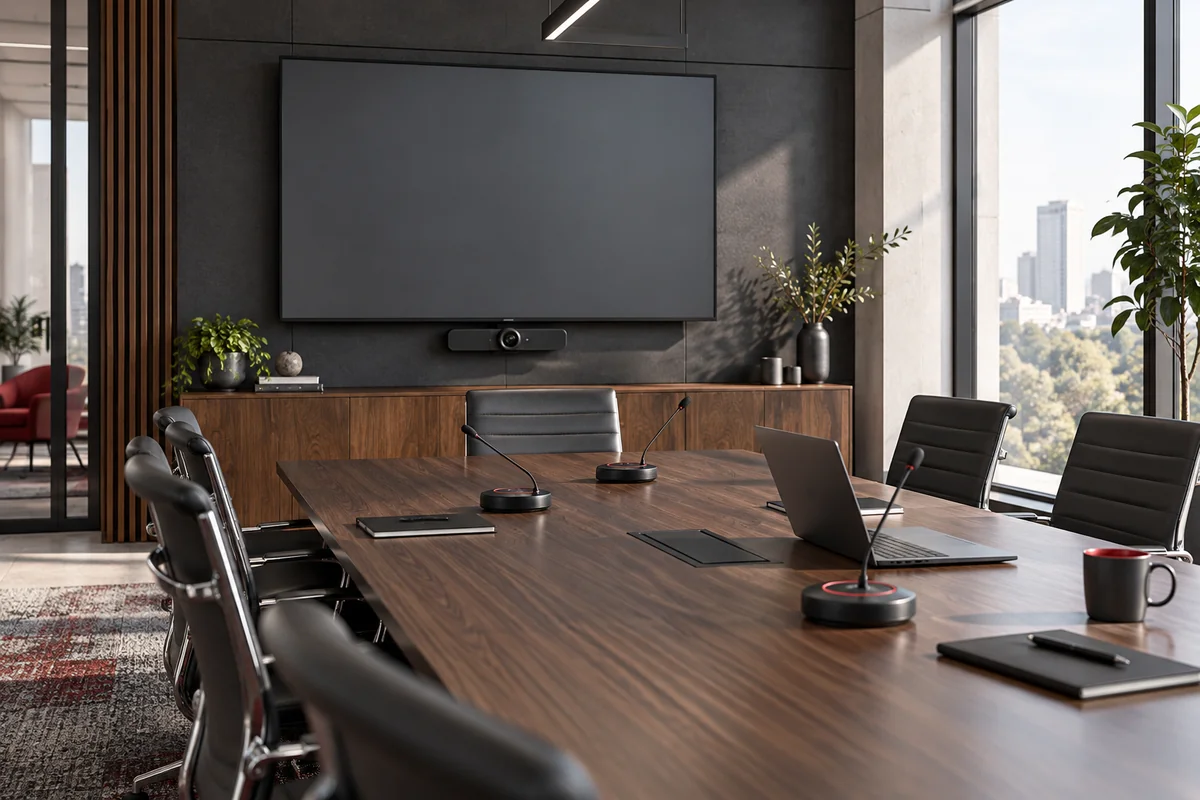
Test realistic scenarios
During acceptance, run the kinds of meetings the room was designed for. Test content sharing, remote audio, camera views, and normal controls with representative users. A component powering on is not the same as the complete room working well.
Include a remote participant in acceptance testing. Test speech from different seats, shared documents, camera framing, meeting start and finish, and the transition between presenters. Ask a representative staff member to follow the normal start-up process without being coached through every step.
Record issues as complete-meeting problems: “remote attendee cannot hear the far seat” is more useful than “microphone checked.” Confirm how settings are returned to the usual state after an unusual meeting. If one workflow requires a different connection or account, make that limitation visible in the instructions. Acceptance should reflect the intended meetings, not just the fact that individual components power on.
Leave useful instructions
Provide a short room guide for the most common tasks and the support contact. Identify who manages updates and configuration changes. Revisit the setup when the room layout, conferencing platform, or typical meeting format changes.
Keep the room guide focused on the tasks users need: joining, presenting, adjusting the appropriate controls, and getting help. A concise illustrated reference beside the controls can be more useful than leaving a folder of product manuals on a shared drive. Product manuals can remain available to the responsible support team.
Assign ownership for accounts, software maintenance, and configuration changes. When a platform, seating plan, or display arrangement changes, repeat the important meeting tests. Keep the equipment inventory and support contacts current. A room that is easy to operate on handover day should have an equally clear process for remaining useful as the organization changes.
Planning example: test the far end of the table
A hypothetical planning example
Imagine a room used for weekly hybrid discussions. The presenter at the front sounds clear, but a remote attendee repeatedly asks people at the far end to repeat themselves. A useful acceptance test includes a normal conversation between those seats and the remote participant, with the room arranged as it will be used. The design can then address the actual listening problem rather than merely adding another display or increasing speaker volume. This is a hypothetical example, not a claim about one of our completed rooms.
Compare the important decisions
| Meeting task | What to verify |
|---|---|
| Join a call | An ordinary user can follow the expected start-up path |
| Hear the discussion | Remote and local voices are clear from representative seats |
| Share content | The chosen devices and platforms work as agreed |
| Change presenters | Connections and controls behave predictably |
| Finish and recover | The room returns to a usable state and support is clear |
A checklist to take into the conversation
- Participants and meeting formats
- Display visibility and audio needs
- Devices and conferencing platforms
- Simple controls and connection steps
- Representative acceptance tests
- Room guide and support ownership
Turn the plan into a useful next step
A good room specification describes the meeting experience and its acceptance tests. Equipment selection follows those requirements. Ask the integrator to explain the user workflow, demonstrate it with representative participants, and leave the next person a room they can operate confidently.
R.W. Communications works with organizations in Central Pennsylvania and surrounding regions. Explore our audio & visual systems services, or tell us about the site and the work you are planning.
Plan a project with our regional team
R.W. Communications is based in Harrisburg and serves Central Pennsylvania and surrounding regions. Explore Harrisburg and Central PA project planning or find your service area.
Let’s plan your next technology project.
Tell us what you need, where you need it, and what success looks like.